skill set 관련해서 공개된 내용을 정리가 필요하다고 생각되어 적용해보면서 적어봅니다.
1. 클로드 코드 설치 ( 윈도우 유저 , 그외 다른 OS는 github참조 )
https://github.com/anthropics/claude-code/blob/main/README.md
claude-code/README.md at main · anthropics/claude-code
Claude Code is an agentic coding tool that lives in your terminal, understands your codebase, and helps you code faster by executing routine tasks, explaining complex code, and handling git workflo...
github.com
windows : git, node(18+) 설치 후
npm install -g @anthropic-ai/claude-code
> npm install -g @anthropic-ai/claude-code

added 2 packages in 5s

1 package is looking for funding
  run `npm fund` for details
npm notice
npm notice New minor version of npm available! 11.6.2 -> 11.7.0
npm notice Changelog: https://github.com/npm/cli/releases/tag/v11.7.0
npm notice To update run: npm install -g npm@11.7.0
npm notice

> npm install -g npm@11.7.0

added 1 package in 4s

16 packages are looking for funding
  run `npm fund` for details

> npm install -g @anthropic-ai/claude-code

changed 2 packages in 5s

1 package is looking for funding
  run `npm fund` for details

> claude --version

2.1.4 (Claude Code)
현재 node lts 버전은 v24
https://nodejs.org/en/download/
Node.js — Download Node.js®
Node.js® is a free, open-source, cross-platform JavaScript runtime environment that lets developers create servers, web apps, command line tools and scripts.
nodejs.org
2. Claude Code 시작 방법 및 초기 설정
- 주 사용은 vscode 에서 사용할 것이지만 일단 CMD 창에서 설정해 보았습니다.
# 클로드 코드 실행
> claude# 특정 프로젝트 폴더에서
>claude --project-path [프로젝트패스]2.1. 요금정책
처음 클로드 코드를 사용해보려 할때 고민을 시작하는 진입점이고 스킬셋이 안나왔을때는 여기서 멈췄던거 같네요.
일단 사용해 보기로 했다면 구독형으로 사용해보는 것을 추천합니다.

2.2. 처음실행
cmd창에서 claude 실행
Welcome to Claude Code v2.1.4
…………………………………………………………………………………………………………………………………………………………

     *                                       █████▓▓░
                                 *         ███▓░     ░░
            ░░░░░░                        ███▓░
    ░░░   ░░░░░░░░░░                      ███▓░
   ░░░░░░░░░░░░░░░░░░░    *                ██▓░░      ▓
                                             ░▓▓███▓▓░
 *                                 ░░░░
                                 ░░░░░░░░
                               ░░░░░░░░░░░░░░░░
       █████████                                        *
      ██▄█████▄██                        *
       █████████      *
…………………█ █   █ █………………………………………………………………………………………………………………

 Let's get started.

 Choose the text style that looks best with your terminal
 To change this later, run /theme

 ❯ 1. Dark mode ✔
   2. Light mode
   3. Dark mode (colorblind-friendly)
   4. Light mode (colorblind-friendly)
   5. Dark mode (ANSI colors only)
   6. Light mode (ANSI colors only)

╌╌╌╌╌╌╌╌╌╌╌╌╌╌╌╌╌╌╌╌╌╌╌╌╌╌╌╌╌╌╌╌╌╌╌╌╌╌╌╌╌╌╌╌╌╌╌╌╌╌╌╌╌╌╌╌╌╌╌╌╌╌╌╌╌╌╌╌╌╌╌╌╌╌╌╌╌╌╌╌╌╌╌╌╌╌╌╌╌╌╌╌╌╌╌╌╌╌╌╌╌╌╌╌╌╌╌╌╌╌╌╌╌╌╌╌╌╌╌╌
 1   function greet() {
 2 -  console.log("Hello, World!");
 2 +  console.log("Hello, Claude!");
 3   }
╌╌╌╌╌╌╌╌╌╌╌╌╌╌╌╌╌╌╌╌╌╌╌╌╌╌╌╌╌╌╌╌╌╌╌╌╌╌╌╌╌╌╌╌╌╌╌╌╌╌╌╌╌╌╌╌╌╌╌╌╌╌╌╌╌╌╌╌╌╌╌╌╌╌╌╌╌╌╌╌╌╌╌╌╌╌╌╌╌╌╌╌╌╌╌╌╌╌╌╌╌╌╌╌╌╌╌╌╌╌╌╌╌╌╌╌╌╌╌╌
 Syntax highlighting available only in native build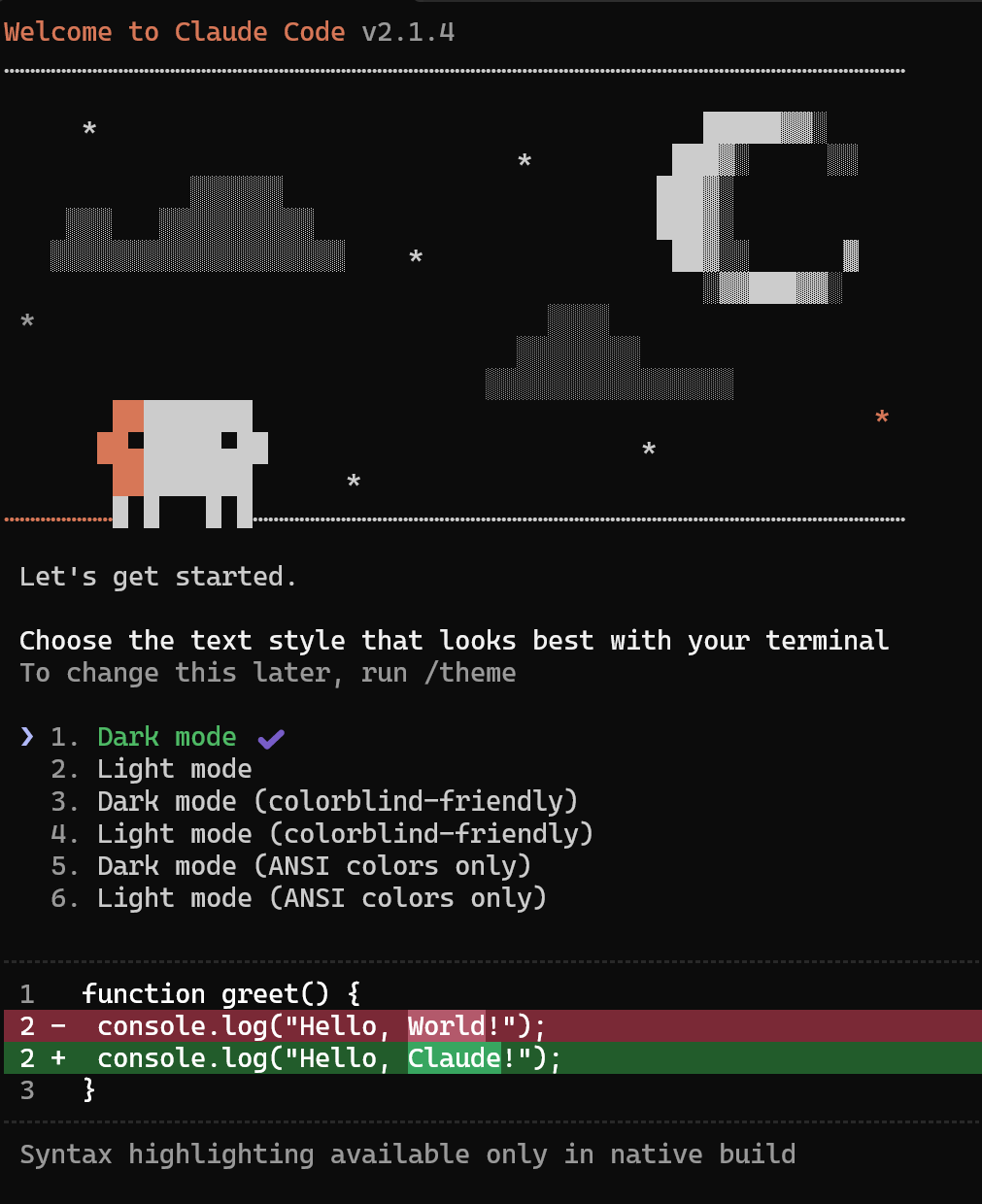
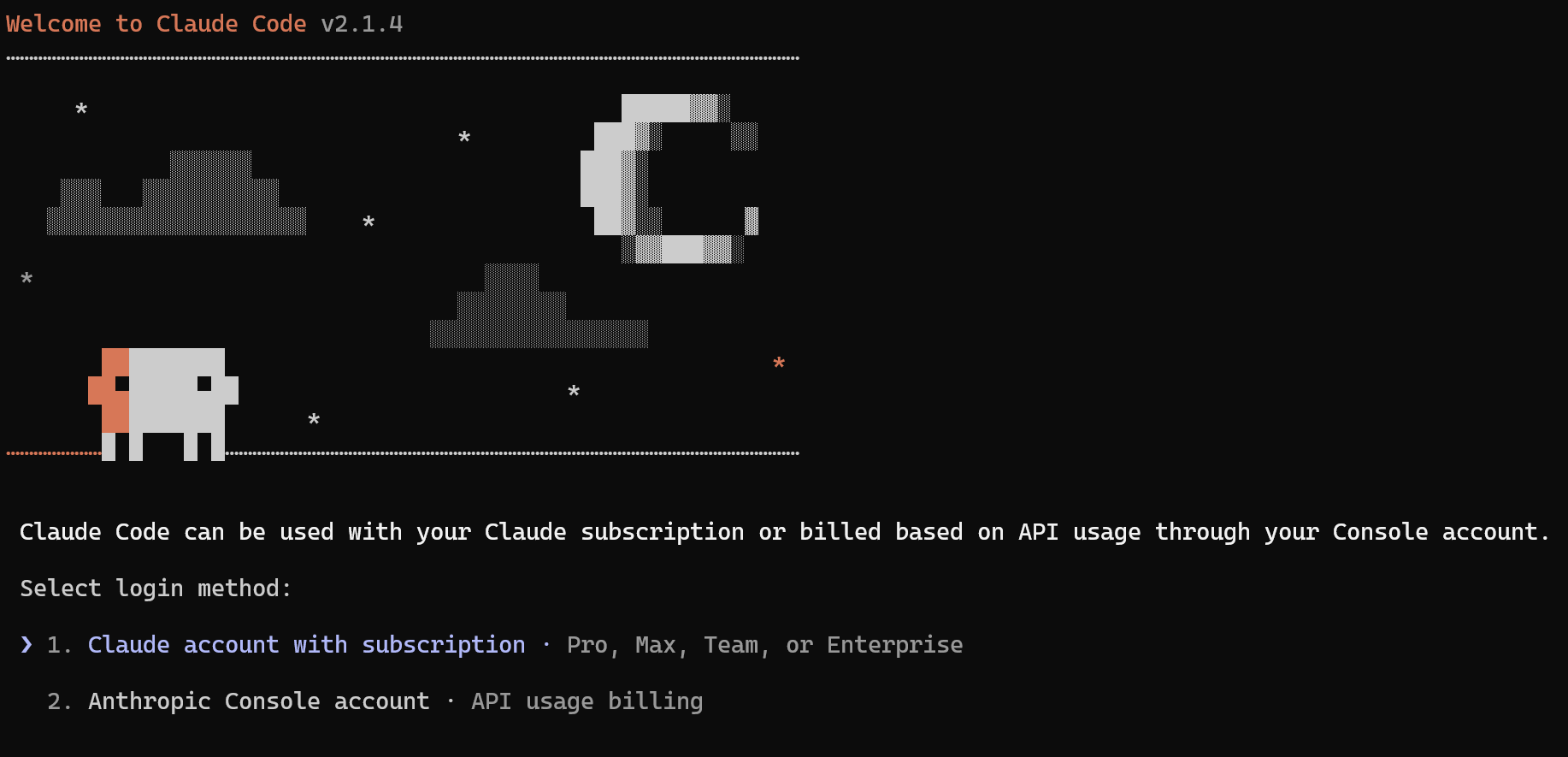
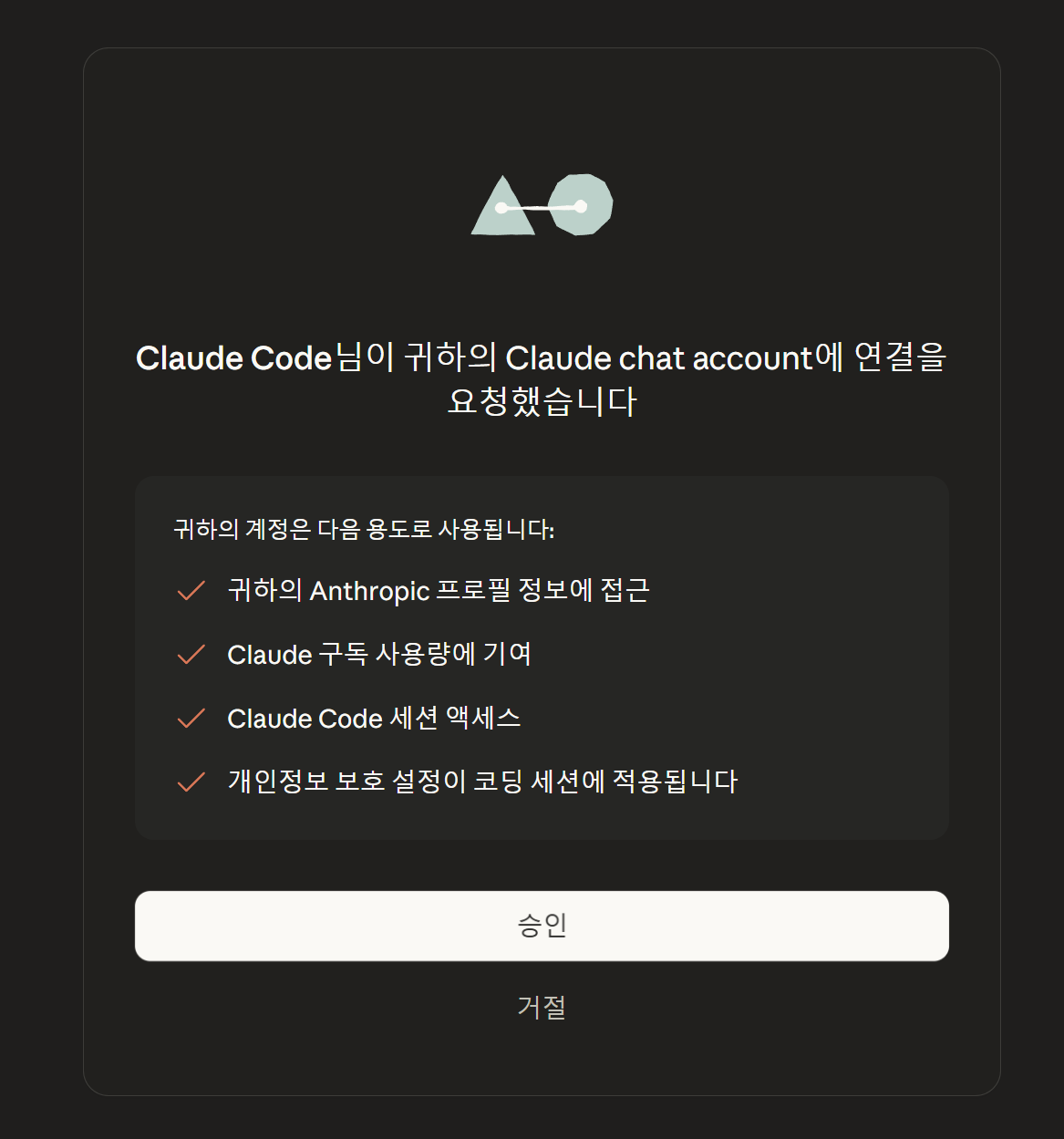
선택시 브라우저연결


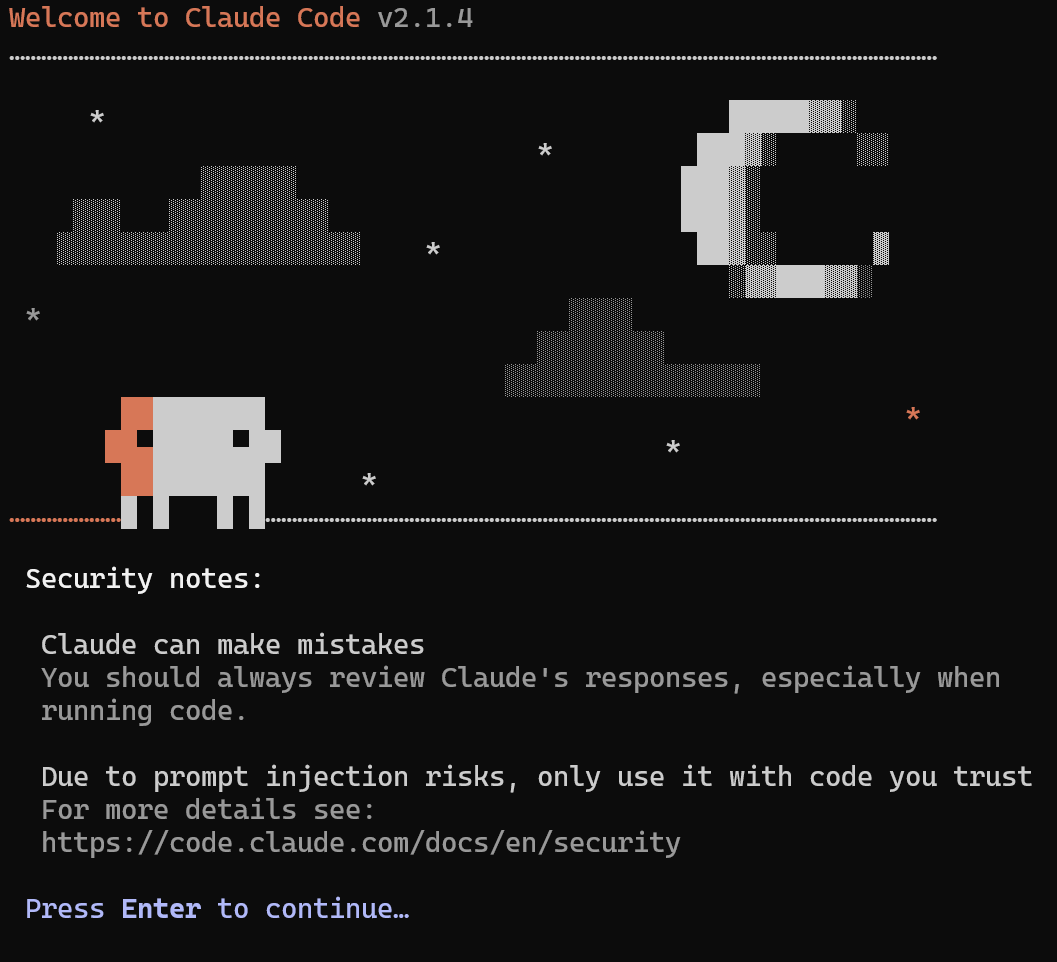
2.3. VSCODE 에서 사용하기
기본적으로 사용하는 확장 프로그램을 설치해 보았습니다.
WSL, claude
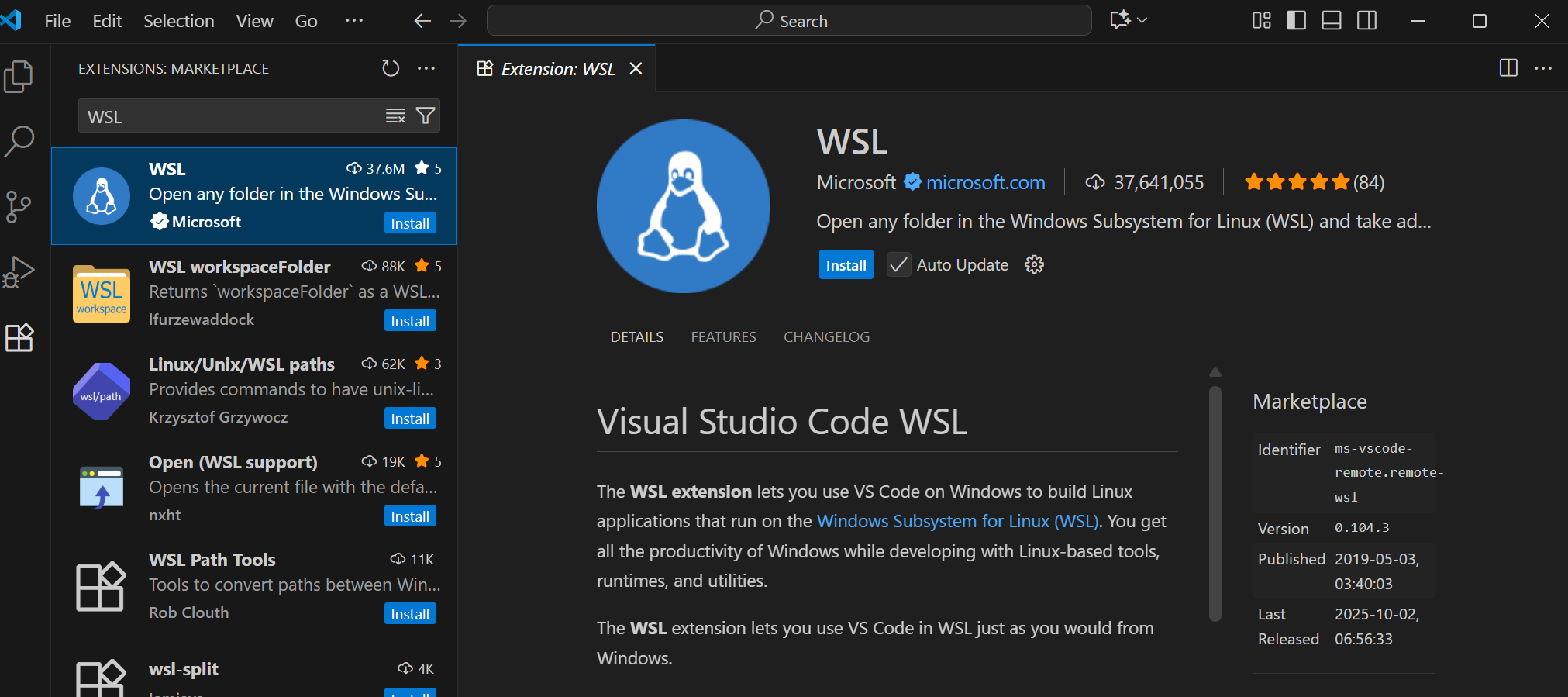


오류 발생: vs code server for wsl closed unexpectedly check wsl terminal for more details
WSL Alpine에서 미지원이라 우분투를 설치해서 해당 OS에서 code를 설치하면 자동으로 vscode-server를 설치합니다.
WSL Alpine 미지원

> wsl --install -d Ubuntu-22.04
username :
userpassword :

> wsl --set-default Ubuntu-22.04

> wsl -d Ubuntu-22.04
> code .
'AI와 교육 > AI Literacy' 카테고리의 다른 글
| AI tool 기업 도입에 대해서 (2026.01.25) (0) | 2026.01.27 |
|---|---|
| Open Code 설치 ( window 컴 2026.01.25 ) (0) | 2026.01.25 |
| 2026년 첫번째 AI사용 경험 gemini 스토리보드(2026.1.5) (0) | 2026.01.05 |
| 2025년 생성형 AI를 이용한 RAG 사업 PM를 수행하고(2026.1.4) (0) | 2026.01.05 |
| ComfyUI 이용한 Z-Image 사용 (2025.12.04) (0) | 2025.12.04 |